

WaveKat Voice — the SIP softphone for Mac and Linux that records and transcribes every call — can now be the app your computer opens when you click a phone number on a website. Click a tel: or sip: link anywhere — a company’s contact page, a search result, a supplier’s invoice — and WaveKat Voice comes to the front with the number already filled in, ready for you to press Call. It lands in 0.0.43.
Click-to-call means a phone number on a web page is a link you can click to dial, instead of something you copy out and retype by hand. It’s table-stakes on a business desk phone, and one of those features you only notice when it’s missing: you see a number on a page, you click it, the phone dials. WaveKat Voice — the SIP softphone that records and transcribes every call and runs on its own SIP engine — now dials the numbers you click, too.
What it does
Turn on Phone links and any phone number that’s a clickable link becomes a way into WaveKat Voice. Click tel:+14155550123 in your browser and the app takes focus and opens the New Call sheet with +14155550123 already in the To field. You look at it, and you press Call. Both tel: links (ordinary phone numbers) and sip: links (SIP addresses like sip:alice@example.com) work — the SIP address goes straight through to your account.
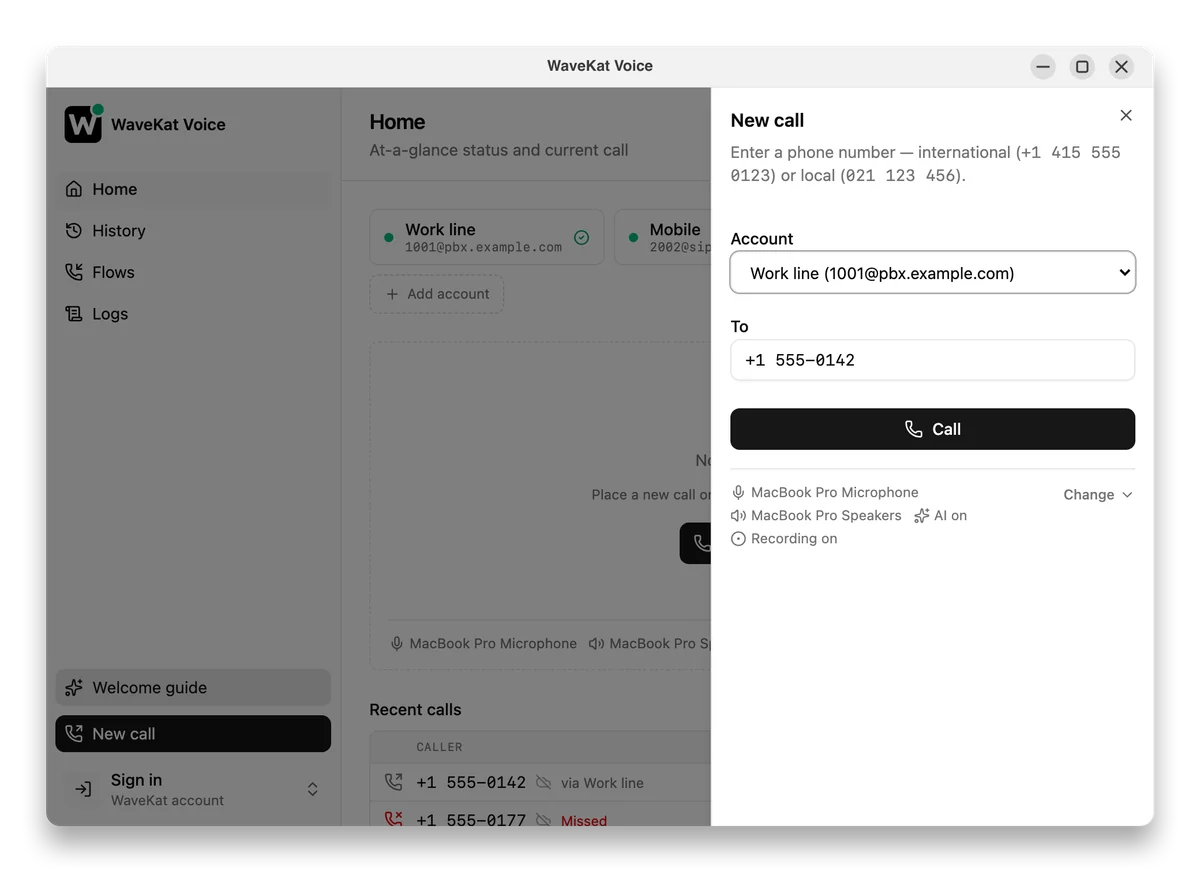
The default is deliberately the safe one: the number is filled in, but you place the call. A web page can ask to start a call; it can’t actually dial without a human pressing Call. That matters, because a link on a page is something anyone can put there.
Turning it on
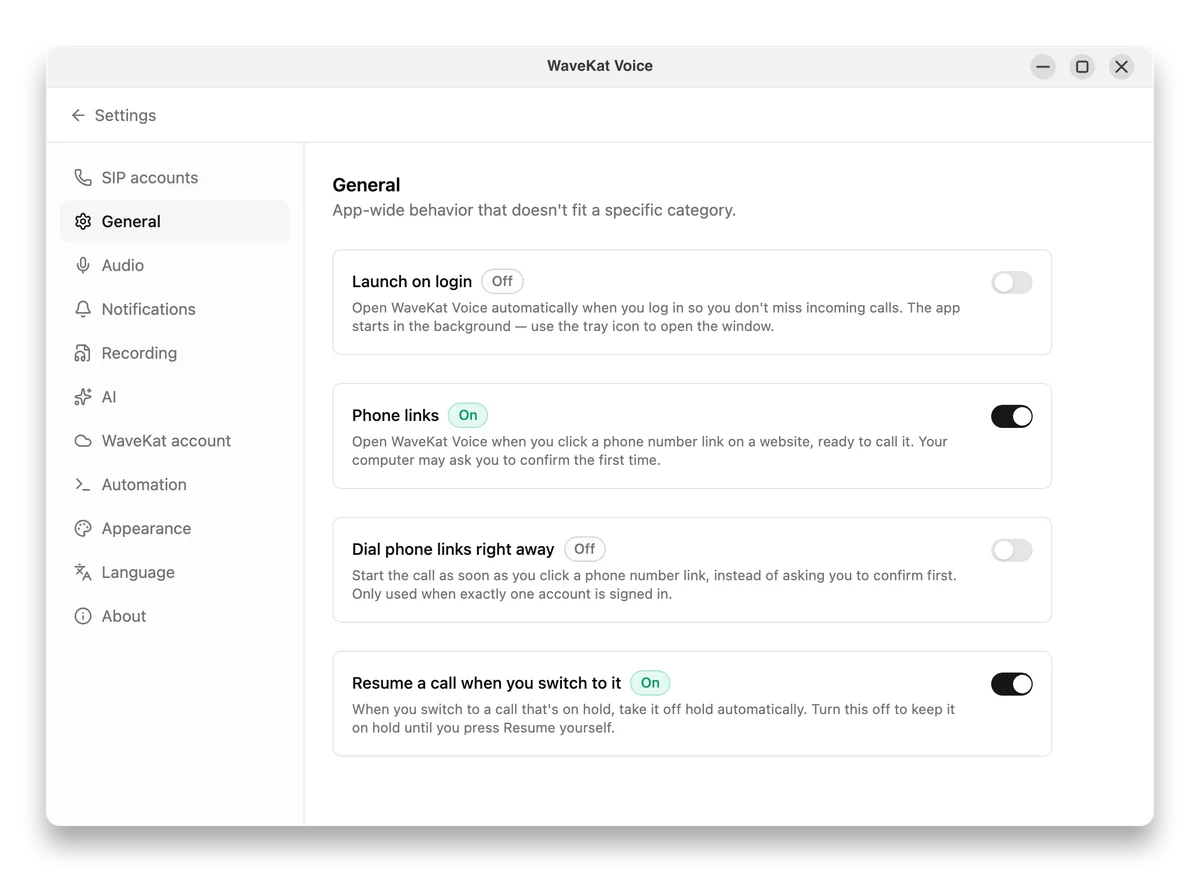
Phone links are off until you turn them on, because claiming the phone-number links on your whole computer is the kind of thing that should be your choice, not a surprise from an app you just installed. Flip Phone links on in Settings → General — the same place as “Open at login” — and WaveKat Voice registers with your operating system as a handler for phone links. What that looks like depends on the OS, and the setting is honest about it:
| Platform | What happens when you turn it on |
|---|---|
| macOS | WaveKat Voice becomes the handler right away, taking tel: links over from FaceTime. |
| Linux | Works as soon as you turn it on. |
New to WaveKat Voice? You’ll be offered phone links at the friendliest possible moment — right after your first successful test call, on the “you’re all set” card. It’s a one-time offer, never a nag: accept it or wave it off and it won’t ask again. Longtime users who open the dial pad to type a number by hand — exactly the people click-to-call is for — get the same quiet offer at the bottom of the dial sheet. However you say yes, it’s the same single switch underneath.
Optional: dial the moment you click
If pre-fill-and-confirm is one step more than you want, there’s an opt-in for that. Turn on “Dial immediately when I click a phone link” (also in Settings → General, and only available once Phone links is on) and a click places the call right away instead of waiting for you to press Call. It’s off by default, and even when it’s on, WaveKat Voice holds back in the cases where an instant call would be the wrong call:
- Only when there’s exactly one line to call from. If you have several accounts that could place the call, WaveKat Voice fills in the number and lets you pick the line instead of guessing.
- Never on top of a call you’re already on. If you’re mid-conversation, the click pre-fills rather than barging in.
- The window always comes to the front. Even on an instant dial, you see the call happen and can hang up — a page can’t quietly place a call in the background.
Frequently asked questions
How do I make a phone number on a website open in WaveKat Voice?
Turn on Phone links in Settings → General. After that, clicking any tel: or sip: link — the kind of clickable phone number you find on contact pages — opens WaveKat Voice with the number filled in, ready to dial.
Does clicking a phone link place the call automatically?
No, not unless you ask it to. By default WaveKat Voice fills in the number and waits for you to press Call, so a web page can never place a call on its own. There’s an optional “Dial immediately when I click a phone link” setting, off by default, if you’d rather skip the confirm step.
Which platforms support click-to-call?
Mac and Linux, the two platforms WaveKat Voice runs on today (Windows is coming when there’s demand). Turn on Phone links in Settings → General and it works on both.
Does it work with sip: links too, or only tel: numbers?
Both. A tel: link is normalized to a dialable number; a sip: link (like sip:alice@example.com) passes straight through to your SIP account. WaveKat Voice registers as a handler for both tel: and sip:.
Is it safe to let websites open my softphone?
Yes, because a link can only request a call, not place one. The safe default fills in the number and waits for your Call press. WaveKat Voice only accepts tel:/sip: links, cleans up the number before doing anything with it, and — even with instant dial on — never calls from a surprise account, never interrupts a call in progress, and always shows you the window so you can hang up.
Can I turn it back off?
Yes. Switch Phone links off in Settings → General and WaveKat Voice stops opening for phone links. The setting gates the behavior itself, so even if your system still remembers the association, clicked links are ignored while the switch is off.
Try it
Download WaveKat Voice — or update to 0.0.43 — then turn on Phone links in Settings → General. Click a number on any web page and it’s already in the dial field, waiting for you.
The number’s on the screen; you clicked it; now it just calls. That’s the whole point.